
Yes—a solar surveillance trailer can work without site Wi-Fi when its cameras and recorder use a suitable cellular connection for remote access. The proposed system still needs compatible communication equipment, an active data service, adequate coverage and a configured viewing platform. Solar panels provide power; they do not provide an internet connection. If you already own the cameras, also check our customer-supplied camera integration guide before choosing the router, recorder and power package.
For a construction site, mine or equipment yard, the important purchasing question is not simply whether the trailer has 4G. It is whether the complete system can deliver the live views, recordings and alerts your team needs at the actual location.
Wi-Fi, 4G and local recording are different things
Separate the network inside the trailer from the connection leaving the site. Cameras can send footage to a local network video recorder (NVR). A cellular router then connects that local system to the internet for authorised remote access. A camera with its own cellular modem uses a different arrangement, so ask which architecture is being offered.
| Site condition | Arrangement to discuss | What to verify |
|---|---|---|
| No site Wi-Fi; usable mobile coverage | Local camera network plus cellular router, or specified cellular cameras | Supported bands, SIM service, upload capacity and remote-access method |
| Existing site internet | Approved wired connection or engineered wireless link | Permission to use the network, coverage, security and available bandwidth |
| No dependable internet path | Local recording; separately assess a radio, satellite or other connection | Local recording is not live off-site monitoring; alternative links need their own design and power review |
Teltonika’s construction-site CCTV example illustrates cameras and an NVR on a local network with a 4G router providing external connectivity. It is a reference architecture, not a statement that those particular components are included in a LUMTA trailer.
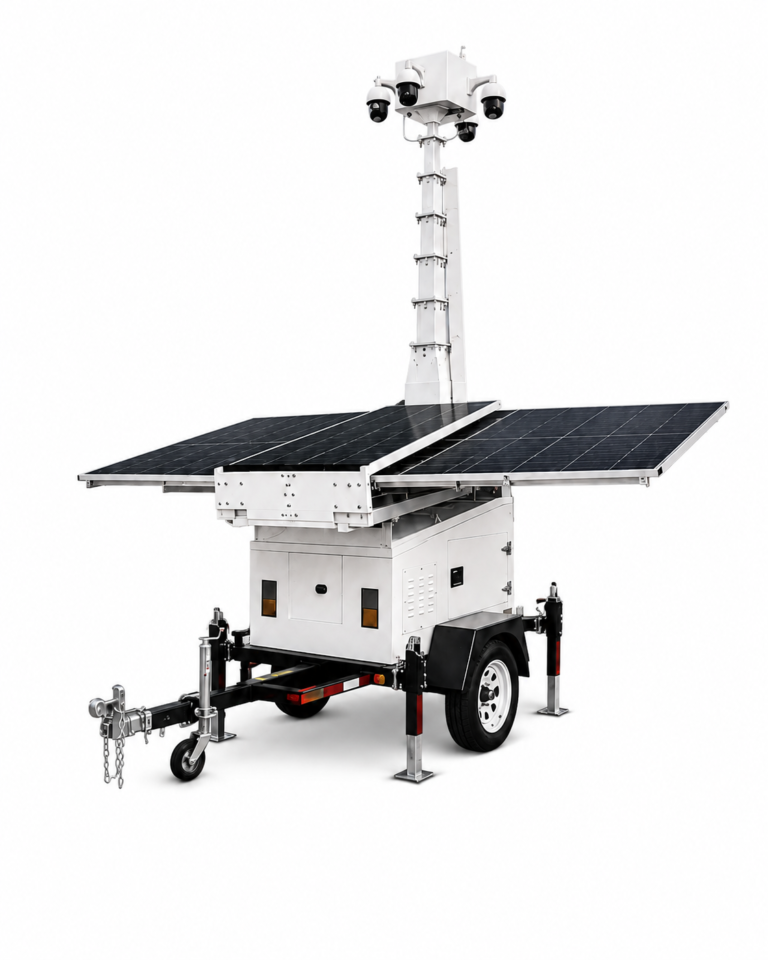
Can security camera trailers work with no cell signal or Wi-Fi?
They can record locally with a compatible, configured and powered camera-and-storage system, but live off-site viewing needs a working external connection. A solar power system does not replace that connection. With no usable cellular signal, no site Wi-Fi and no other internet path, do not expect remote live video, remote playback or internet-dependent alerts.
For a site that has never had coverage, confirm that commissioning and local access can be completed with the proposed equipment. Some platforms require internet access during setup even though local video can remain available afterwards; see the Axis Camera Station Edge system recommendations for one documented example. This does not establish the functions included in a LUMTA quotation.
Ask for an offline acceptance test: keep the cameras, recorder and local network powered, remove the external connection, record a test event, then replay and export the clip locally. Check timestamps and retention settings. If remote monitoring is essential, have a qualified integrator assess a separately specified alternative link and its power demand before ordering. Any satellite or radio connection must be agreed separately rather than assumed to be included.
Use the surveillance site survey checklist to document coverage and access, and the battery-runtime guide to include the recorder and communication loads.
What happens when the 4G connection drops?
Losing internet access does not necessarily stop local recording. It can continue when compatible local storage is installed, recording is configured, and the cameras, recorder and required local network remain powered and connected. Do not assume this from the presence of an SD-card slot alone.
However, live off-site viewing, remote playback and alerts that depend on the failed internet path will be unavailable or delayed. Continued recording and continued remote access are two different acceptance tests. Automatic upload of missed footage after reconnection is a third feature that must be explicitly supported.
Axis documents local recording to storage such as SD cards. Its Camera Station Edge guide also distinguishes offline access on the local network from internet-dependent setup and management. These illustrate why the exact camera, recorder, software and settings matter; they are not universal promises for every CCTV package.
Ask the supplier to demonstrate loss of the external internet connection while leaving the local system powered. Then verify playback of footage recorded during the interruption. A complete loss of power is a different fault and must be addressed through the energy system and operating procedure.
How much 4G data does a surveillance trailer need?
Estimate the video actually sent through the cellular connection—not just the number of cameras installed. Continuous cloud upload, occasional live checks and locally stored footage with selected remote downloads produce different data requirements.
Estimated video data (GB) = total transmitted bitrate (Mbps) × transmission hours × 0.45.
The factor 0.45 converts megabits per second into decimal gigabytes per hour. The calculation below assumes each transmitted camera stream averages 1 Mbps and the month has 30 days. It excludes protocol overhead, audio, alerts, updates and retransmissions. These are planning examples, not measured LUMTA product figures or recommended data plans.
| Viewing or upload pattern | Calculation | Video data |
|---|---|---|
| One camera, 1 hour each day | 1 × 1 × 30 × 0.45 | 13.5 GB/month |
| Four cameras, each 1 hour a day | 4 × 1 × 30 × 0.45 | 54 GB/month |
| Four cameras, each uploading continuously | 4 × 24 × 30 × 0.45 | 1,296 GB/month |
Count the streams crossing the trailer’s cellular connection. Multiple viewers or background cloud uploads may change that total, depending on the platform. Local recording does not itself require uploading all recorded video, but remote viewing, backup and clip retrieval still use the connection.
Request a bitrate measurement at the intended day and night settings before choosing a data allowance. Axis’s bitrate-control guidance explains that variable bitrate changes with scene activity, while imposing a bitrate limit can affect image quality or frame rate. A lower-bandwidth viewing stream can be useful, but it should not undermine the detail needed for the monitoring task.
Five connectivity decisions to settle before ordering
Prepare a short network brief: destination and mobile operator; quoted router model and regional variant; who provides the active SIM and data plan; live-viewing schedule and recording retention; and the behaviour to demonstrate during a connection outage. Use the five checks below to confirm each item before ordering.
1. Match the hardware to the destination
Provide the country, exact site and intended mobile operator. A router described as 4G is not automatically suitable for every network. Teltonika’s supported-frequency guidance shows that hardware variants can support different bands. Check the actual quoted model and regional variant rather than relying on the name of the router family.
For a UAE or Saudi project, ask the local integrator or operator to verify compatibility and coverage at the deployment point. Country-level coverage alone is not a commissioning result. Agree who will test sustained upload capacity with the chosen antennas and active camera streams.
2. Separate hardware from ongoing services
Ask who supplies and activates the SIM, owns the account, pays for data and responds when the allowance runs out. List platform licences, cloud storage and staffed monitoring separately. A router included in the equipment quotation does not establish that these services are also included.
Use the existing surveillance trailer cost guide to compare the complete supply scope rather than the communication hardware alone.
3. Confirm the remote-access method
Request a named viewing application or video-management system and a documented, secure access method. Ask how users are authorised, how access is removed and who manages updates. Do not make direct exposure of camera ports to the public internet the default solution.
For example, Axis Secure Remote Access supports its own systems without manual port forwarding. Other packages require their own supported design. A mobile data connection by itself does not confirm remote-login compatibility.
4. Check customer-supplied cameras and software
Send exact camera, recorder and software models, firmware versions, power requirements and the functions you need. Where ONVIF is proposed, verify the devices and clients in the official conformant-products database. Conformance is tied to the listed firmware or software version and supported profiles; it is not a blanket guarantee that every proprietary feature will work.
5. Include communications in the power budget
The router, recorder, network switch and other powered devices belong in the same load list as the cameras. Any alternative connection must be checked for its own electrical demand and installation requirements. Use the solar surveillance trailer battery-runtime guide to connect the communications package to usable battery energy and low-sun reserve.
Ask for a practical handover test
Agree these checks before delivery and repeat the site-dependent checks after deployment. Factory testing cannot prove coverage at the destination.
- Remote view: open the authorised application from outside the trailer’s local network and check the required camera views.
- Recording: replay and export a sample clip; check its timestamp, image quality and agreed retention settings.
- Internet interruption: disconnect only the external link, then confirm the expected local recording and recovery behaviour.
- Alerts: test the agreed event and offline notifications, including who receives them and what happens during loss of connectivity.
- Data and responsibility: record measured data use, account ownership, renewal responsibilities and the support contact for each supplied component.
For wider deployment information, use the site survey checklist. Keep the connectivity test alongside the physical setup and power-system checks rather than treating an app screenshot as full acceptance.
Frequently asked questions
Can I watch the cameras from my phone without site Wi-Fi?
Yes, when the trailer has a working cellular or other internet connection and a compatible remote-access service is configured. Your phone also needs a connection. With no external communication path at the trailer, live off-site viewing is not available.
Does dual SIM guarantee uninterrupted monitoring?
No. Supported failover may provide another connection when the first one fails, but both services can be unavailable, and switching can interrupt a stream. Ask which operators, failover conditions and recovery tests are included.
Will every alert be delivered while the trailer is offline?
No. Alerts using the failed connection cannot be sent normally through that path. Any separate channel, queued notification or later upload must be supported and tested. A remote platform may detect that a device is offline, but that is different from receiving live camera events.
Send a short connectivity brief with your enquiry
You do not need to choose every component first. Include the project country and site, available mobile operator, camera quantity or monitoring objective, expected live-viewing schedule, recording period, required behaviour during an outage, quantity and delivery date. Mention existing cameras or software that must be retained.
LUMTA supplies project-configured equipment by export quotation. Confirm the router, camera integration, storage, service subscriptions, installation and local support responsibilities in writing. For an S673 enquiry, review the S673 solar mobile surveillance trailer configuration and supply checklist and include the network brief with your requirements. Technical references above explain available approaches; they do not identify standard or included components for S673, S973, S963 or another quoted unit.
Request a Camera, Connectivity & Power Configuration
Compare the solar surveillance trailer models and supply scope before finalising your project enquiry.