
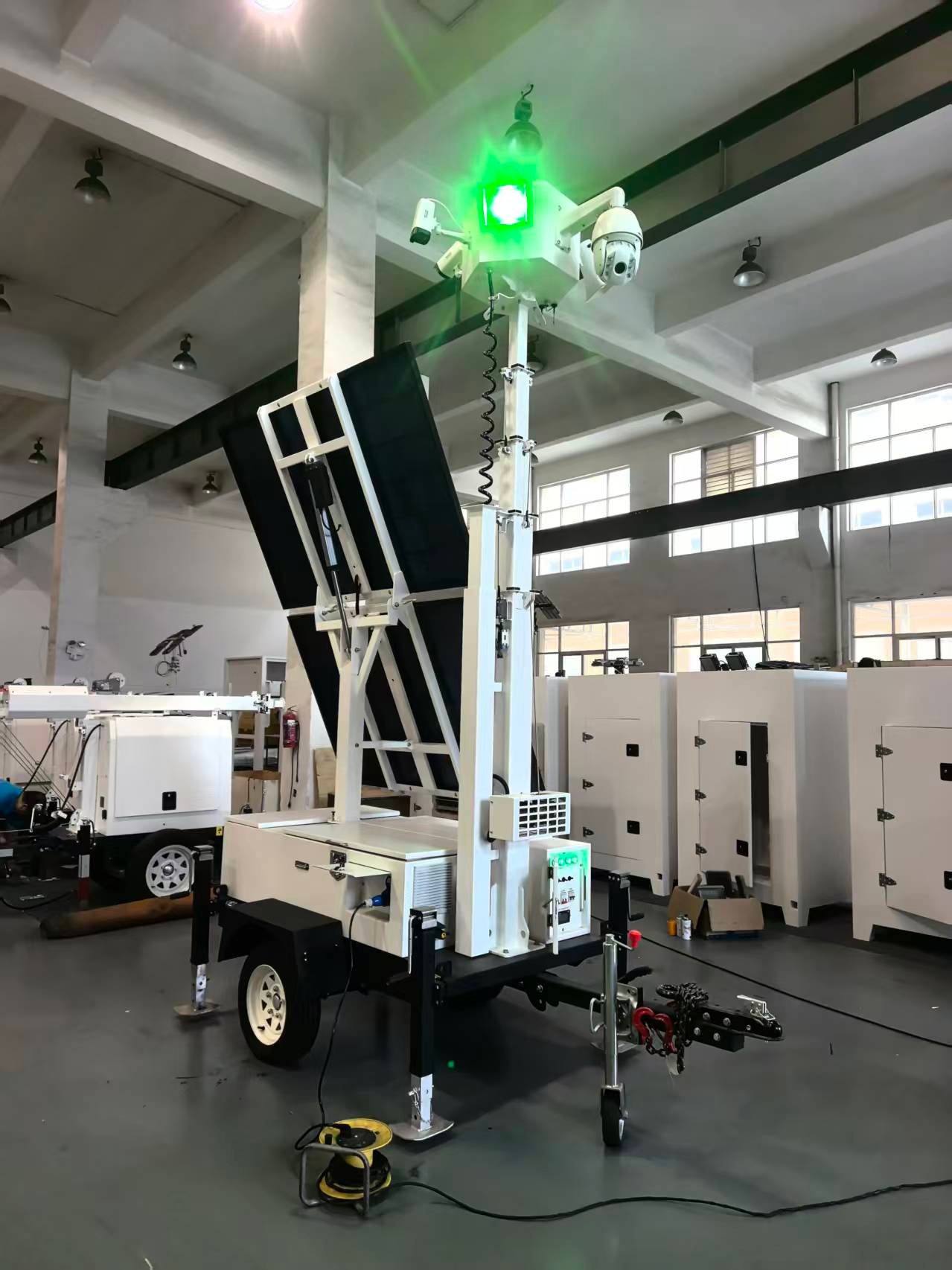
A mobile solar surveillance tower can combine off-grid power, elevated cameras, lighting and visible warning equipment on one towable platform. Correct setup matters because the stabilizers, mast, solar array, battery system and monitoring equipment must work together as one system.
This guide explains a general operating sequence for buyers, rental fleets and site teams. Control layouts and mast mechanisms vary between models, so the product manual and site safety rules should always take priority.
1. Choose a Suitable Operating Position
Before disconnecting or deploying the trailer, inspect the intended location. Select firm, reasonably level ground with enough space for the stabilizers, solar panels and mast.
Look upward as well as around the trailer. The mast must remain clear of power lines, structures, tree branches and moving equipment. Consider how shadows from nearby objects may affect the solar panels during the day. The camera view should also cover the required area without being blocked by containers, machinery or temporary buildings.
Do not position the trailer where it blocks emergency access, vehicle routes or pedestrian walkways.
2. Secure and Level the Trailer
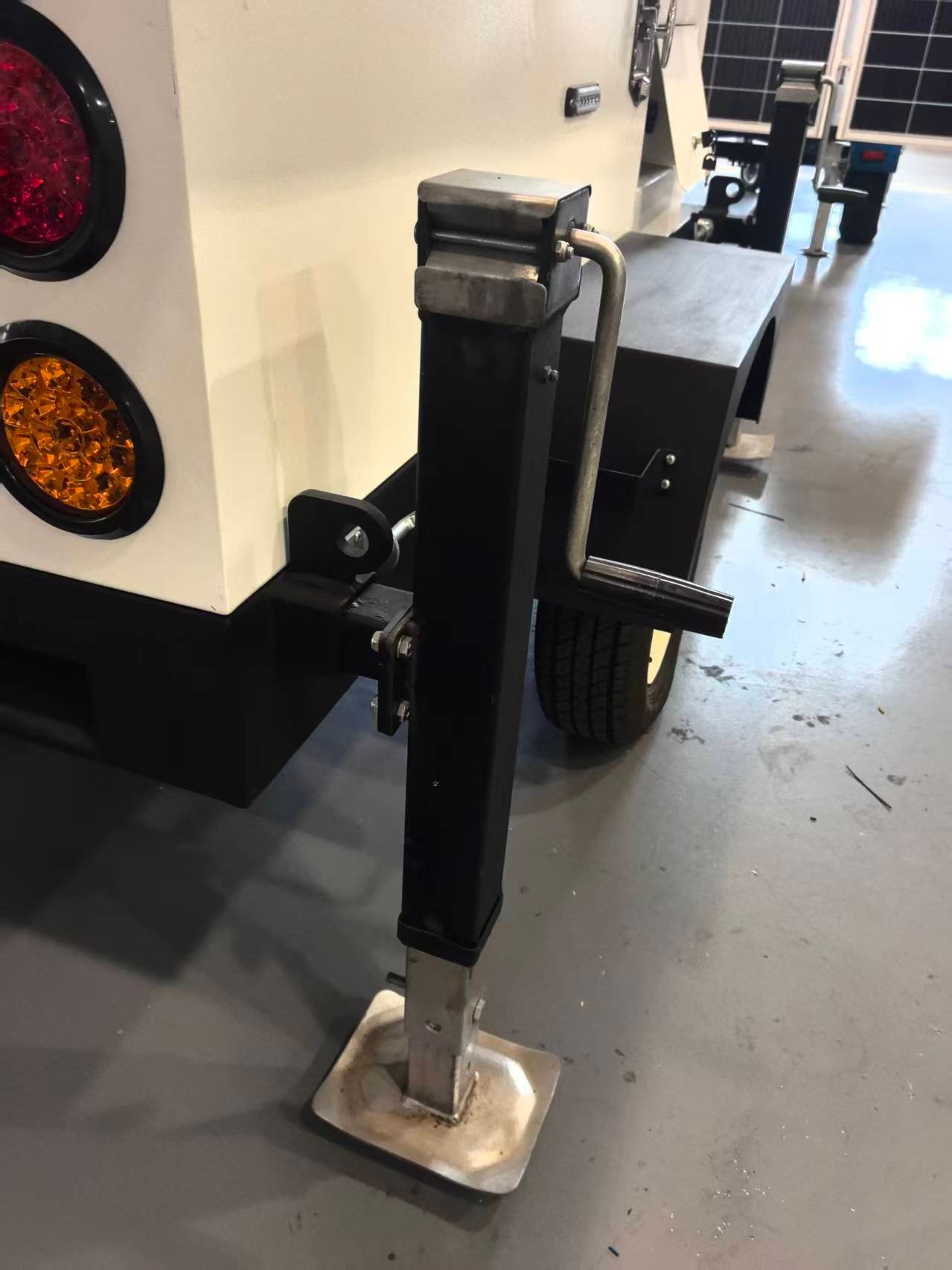
Once positioned, apply the parking system and follow the manufacturer’s instructions for securing the trailer. Extend the stabilizers and lower each foot onto a firm supporting surface.
Adjust the stabilizers gradually so the chassis remains level. Avoid relying on one stabilizer to carry an excessive share of the load. On soft ground, use suitable load-spreading pads when required by the operating instructions.
The mast should not be raised until the trailer is stable. Recheck the base after heavy rain, ground movement or any impact near the unit.
3. Inspect the Structure and Mast
Walk around the unit before switching on the system. Check the mast sections, fasteners, cables, hinges and locking points for visible damage, looseness or obstruction. Confirm that no tools, packaging or loose items remain on the platform.
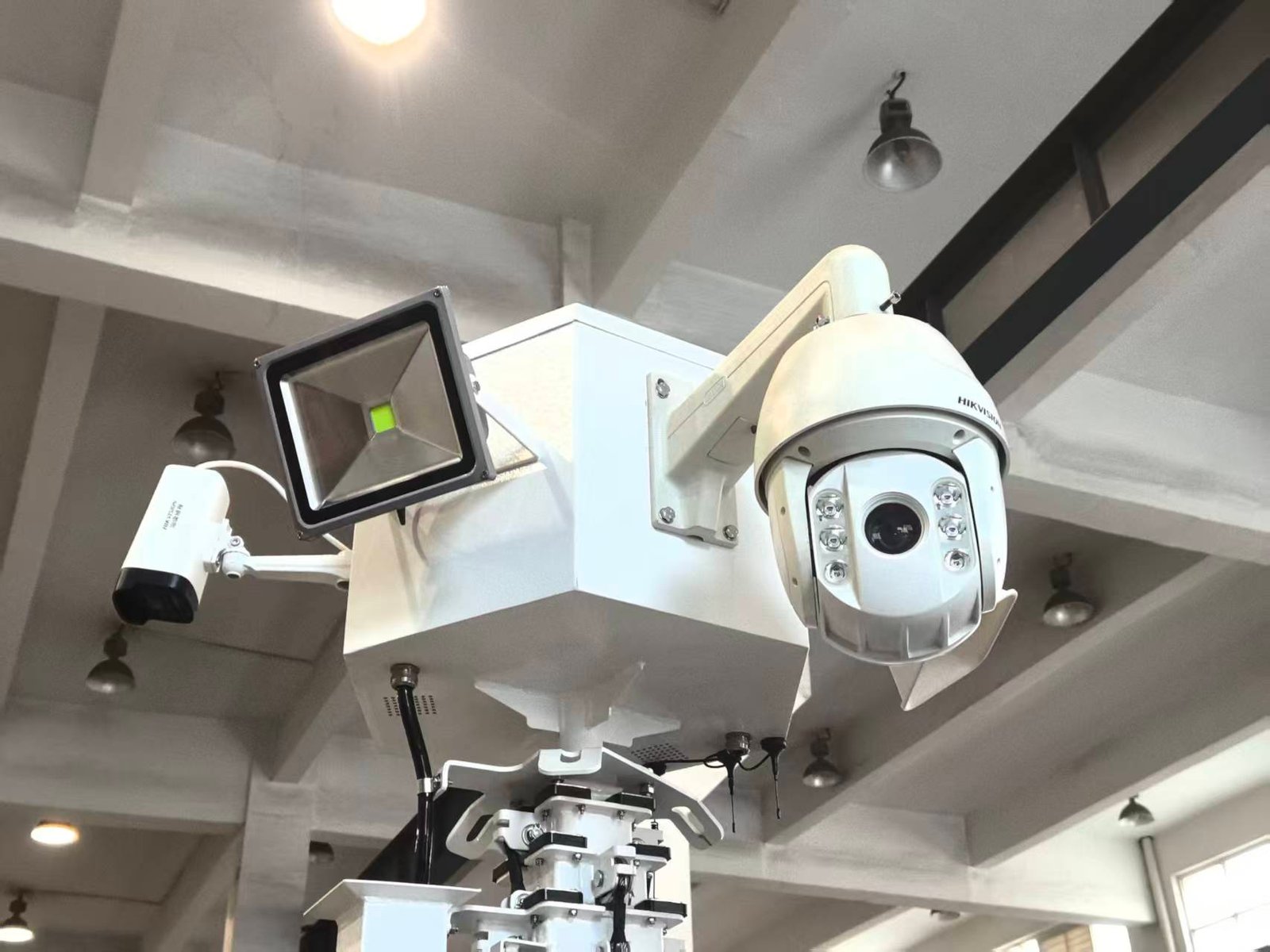
The camera, floodlight and other equipment at the mast head should be secure. Cables should have enough freedom to move with the mast without being pinched, stretched or wrapped around structural parts.
If the mast is damaged, unusually noisy, obstructed or difficult to move, stop the setup and arrange an inspection. Do not force the mechanism.
4. Check the Solar and Battery System
Inspect the solar panels for cracks, heavy dirt, loose connections or shading. Panels should be positioned according to the model’s instructions and local solar conditions. Never adjust or clean a panel while the mast or supporting structure is moving.
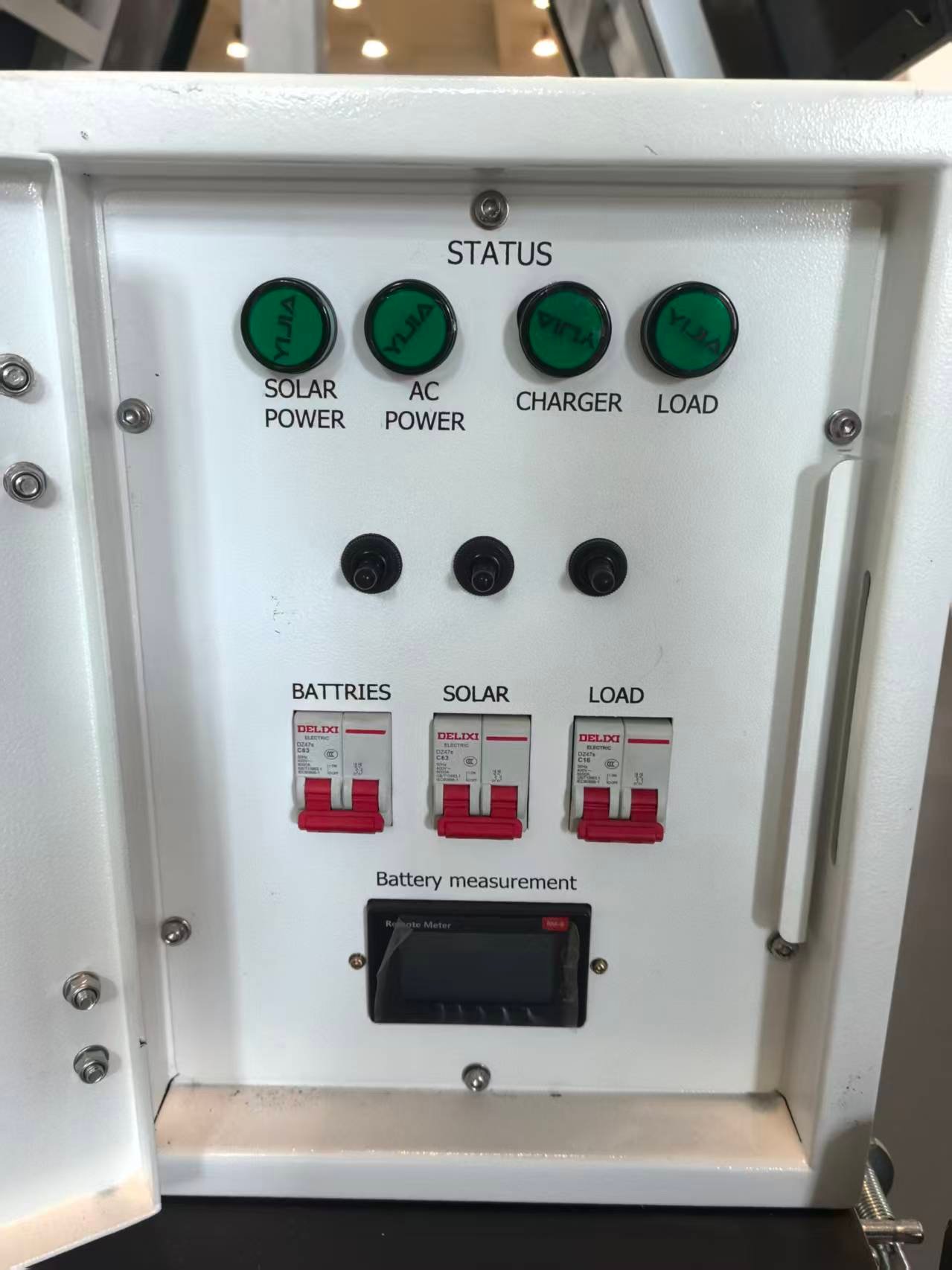
Before applying loads, check the battery indication and control-panel status. The labels may identify battery power, solar input, charger status, AC input and connected loads.
Switches and circuit breakers should be operated only by trained personnel. Do not change wiring, breaker ratings or charging settings unless the work is authorised for that configuration.
5. Raise the Mast Carefully
Clear all personnel from the mast’s movement area. Confirm again that there are no overhead obstacles, then raise the mast using the installed manual, electric, hydraulic or pneumatic mechanism.
Use a slow, controlled movement and watch the complete structure—not only the control switch. Stop immediately if a cable catches, a section binds or the trailer begins to shift. Do not exceed the permitted mast height or operate outside the manufacturer’s wind limits.
Once the desired height is reached, engage any required locking or securing system.
6. Check Cameras, Lighting and Communications
After the mast is secure, power the required loads one at a time. Confirm that the camera image is available, the field of view is correct and any pan, tilt or zoom movement operates without cable interference.
Test the floodlight or warning light only where it will not distract drivers or affect neighbouring properties. If remote communications are installed, verify the network connection and confirm that authorised users can receive the required video or status information.
Record the operating position, date and battery status when fleet procedures require it.
Planning a Remote Surveillance Site?
Share the project location, monitoring period, camera requirements, communication method, operating hours and quantity. LUMTA can review the solar, battery, mast and equipment configuration before quotation.
7. Monitor the Unit During Operation
Routine checks help identify problems before they cause downtime. Inspect the tower periodically for:
- changes in trailer level or stabilizer contact;
- unexpected battery or charging indications;
- damaged, shaded or heavily soiled solar panels;
- loose cables or connectors;
- condensation, water entry or unusual heat;
- camera obstruction or altered viewing angle;
- abnormal mast movement, vibration or noise.
Site conditions can change quickly. High winds, storms, flooding, vehicle activity or construction progress may require the tower to be lowered or relocated.
8. Shut Down and Prepare for Transport
Before lowering the mast, switch off connected loads as directed by the manual and ensure the area is clear. Return cameras and lights to their transport positions, then lower the mast completely and secure all locking points.
Fold or secure the solar panels according to the product design. Retract the stabilizers only after the mast is fully lowered and the trailer is ready to be supported by its transport system. Check the coupling, safety chains, tyres, lights and braking equipment before towing.
Never move the trailer with the mast raised, stabilizers deployed or equipment unsecured.
A Practical Handover Checklist
For rental fleets and project contractors, a simple handover record should include the tower location, operator, deployment time, battery status, camera connection, lighting test and any visible damage. Photos taken at deployment can also provide a useful condition record.
Operators should know who to contact if the power system, mast, camera or communications equipment develops a fault. Internal electrical, battery and lifting-system repairs should be handled only by qualified personnel.
Information to Include in Your Surveillance Tower Enquiry
- Project location and expected deployment period
- Camera quantity, mounting and viewing requirements
- 4G, Wi-Fi, wired or other communication method
- Required lighting, warning or auxiliary equipment
- Operating hours, solar conditions and reserve requirements
- Quantity and destination country or port
You do not need to select every component before contacting us. Send the site information first and request a project-based configuration.
Choosing the Right Configuration
The best configuration depends on site duration, solar conditions, monitoring coverage, communications availability and the required lighting or warning equipment. Explore the S973 solar mobile surveillance trailer and LUMTA’s solar mobile light tower range.
For configuration advice and pricing, send your project location, monitoring period, camera requirements, communication method and quantity through the LUMTA contact page.