
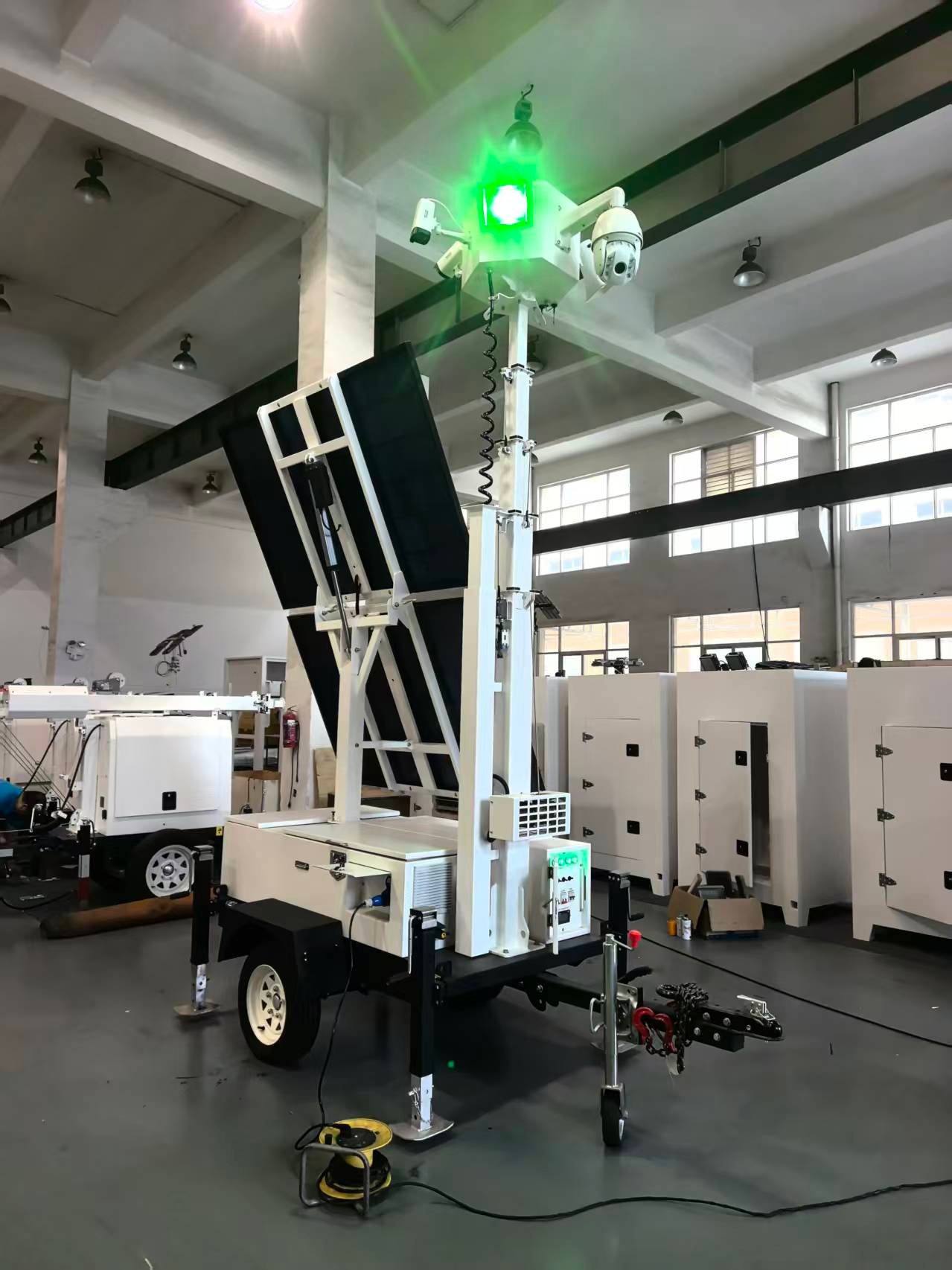
A mobile solar surveillance tower may operate for long periods at construction sites, storage yards, parking areas and temporary facilities. Although solar power can reduce the need for fuel and frequent site visits, the complete system still requires regular inspection. Dust, loose connections, uneven ground, severe weather and poor storage practices can reduce reliability or create avoidable safety risks.
This checklist provides a general maintenance framework for equipment owners, rental fleets and site operators. Inspection intervals and service procedures vary between models, so always follow the product manual, local regulations and the instructions supplied with the battery, mast and monitoring equipment.
Why Preventive Maintenance Matters
A surveillance tower is not only a camera mounted on a trailer. Its performance depends on the condition of the chassis, stabilizers, mast, solar modules, batteries, controls, cables and communications equipment. A small issue in one area can affect the complete system. For example, a shaded or dirty panel can reduce charging, while an unstable trailer can make mast operation unsafe.
Routine checks help operators identify visible problems before they lead to downtime. They also create a maintenance record that is useful when equipment moves between projects or rental customers.
Before Every Deployment
Begin with a complete walk-around inspection before the tower leaves storage or is handed to a customer.
Check the trailer frame, coupling, safety chains, tyres, wheels, mudguards and road lights for visible damage. Make sure doors and access panels close securely and that no tools or loose components remain inside the enclosure. Inspect the stabilizers for deformation, damaged feet or difficult movement.
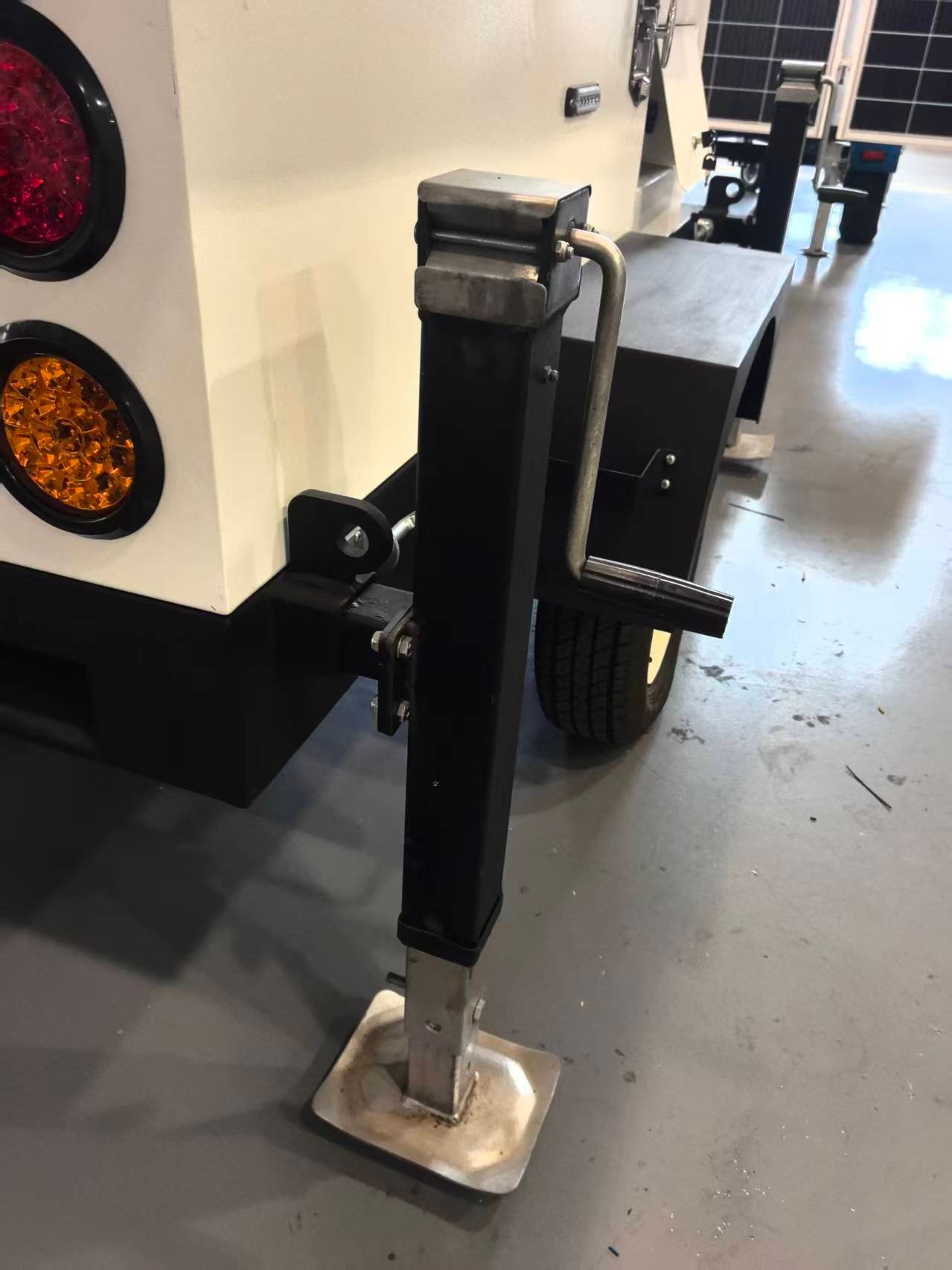
The mast should be fully lowered and secured for transport. Examine accessible cables, fasteners, hinges and locking points. If a component is bent, cracked, loose or unusually worn, it should be inspected before the mast is raised.
Inspect and Clean the Solar Panels
Solar panels need an unobstructed surface to collect energy effectively. Inspect them for dust, leaves, bird droppings, impact damage and loose mounting hardware. Also check whether nearby buildings, trees or newly installed site equipment will shade the array during important charging hours.
Clean panels only with a method approved by the panel or tower supplier. Avoid abrasive tools, aggressive chemicals and high-pressure cleaning that could damage the surface, seals or electrical connections. Do not work on panels while their supporting structure is moving, and use appropriate access equipment if the design places them above easy reach.
After severe weather or transport over rough roads, check panel hinges, brackets and cables again before redeployment.
Monitor Battery and Charging Condition
The control panel may show solar input, battery condition, charging status, AC input and connected loads. Operators should learn the normal indications for their configuration and record unusual warnings rather than repeatedly resetting the system.
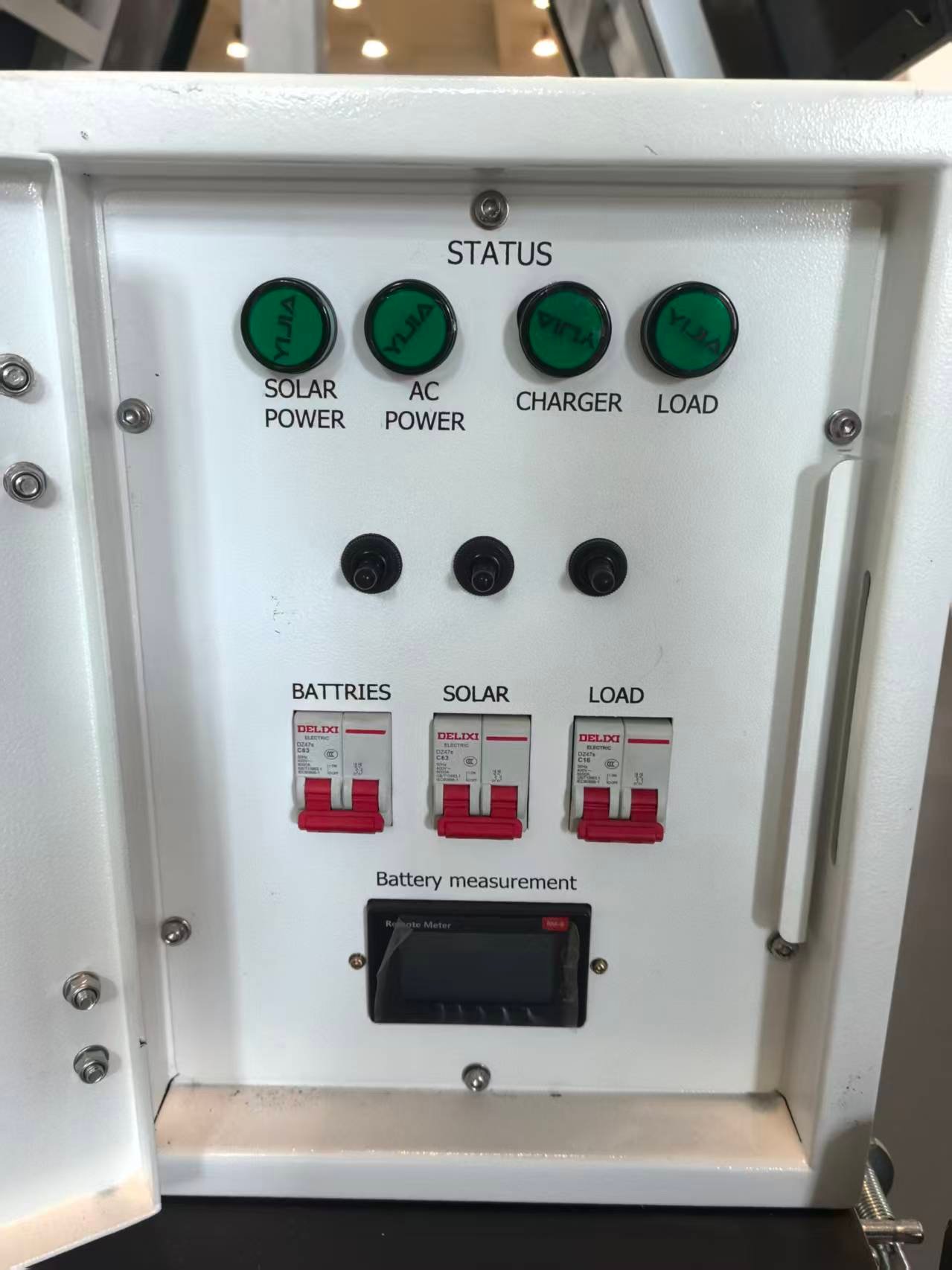
Keep battery compartments clean, dry and properly ventilated according to the product design. Look for damaged cables, loose terminals, corrosion, unusual heat, odour, swelling or evidence of water entry. Do not open sealed batteries or change charger settings unless the work is authorised for the installed battery system.
If operating time becomes noticeably shorter, investigate the complete energy balance. Possible causes can include reduced solar input, increased loads, poor panel orientation, shading, damaged wiring or battery deterioration. Replacing a battery without checking the rest of the system may not solve the underlying problem.
Check the Mast and Lifting System
Inspect the mast before every raising cycle. Look for dirt, damage, loose hardware, cable wear and obstructions between telescopic sections. Confirm that electrical or communication cables can move freely without being pinched or pulled.
Raise and lower the mast slowly while observing the full structure. Stop if a section binds, the mechanism becomes unusually noisy or the trailer shifts. Lubrication, cable adjustment and internal lifting-system repairs should follow the manufacturer’s service instructions and be performed by qualified personnel.
Never inspect, adjust or repair the mast while it is unsupported or capable of unexpected movement.
Test Cameras, Lights and Communications
Clean camera windows and light lenses carefully so that dirt does not reduce image quality or illumination. Confirm that housings, brackets and protective covers remain secure. Examine visible cables and connectors for looseness, damage or water entry.
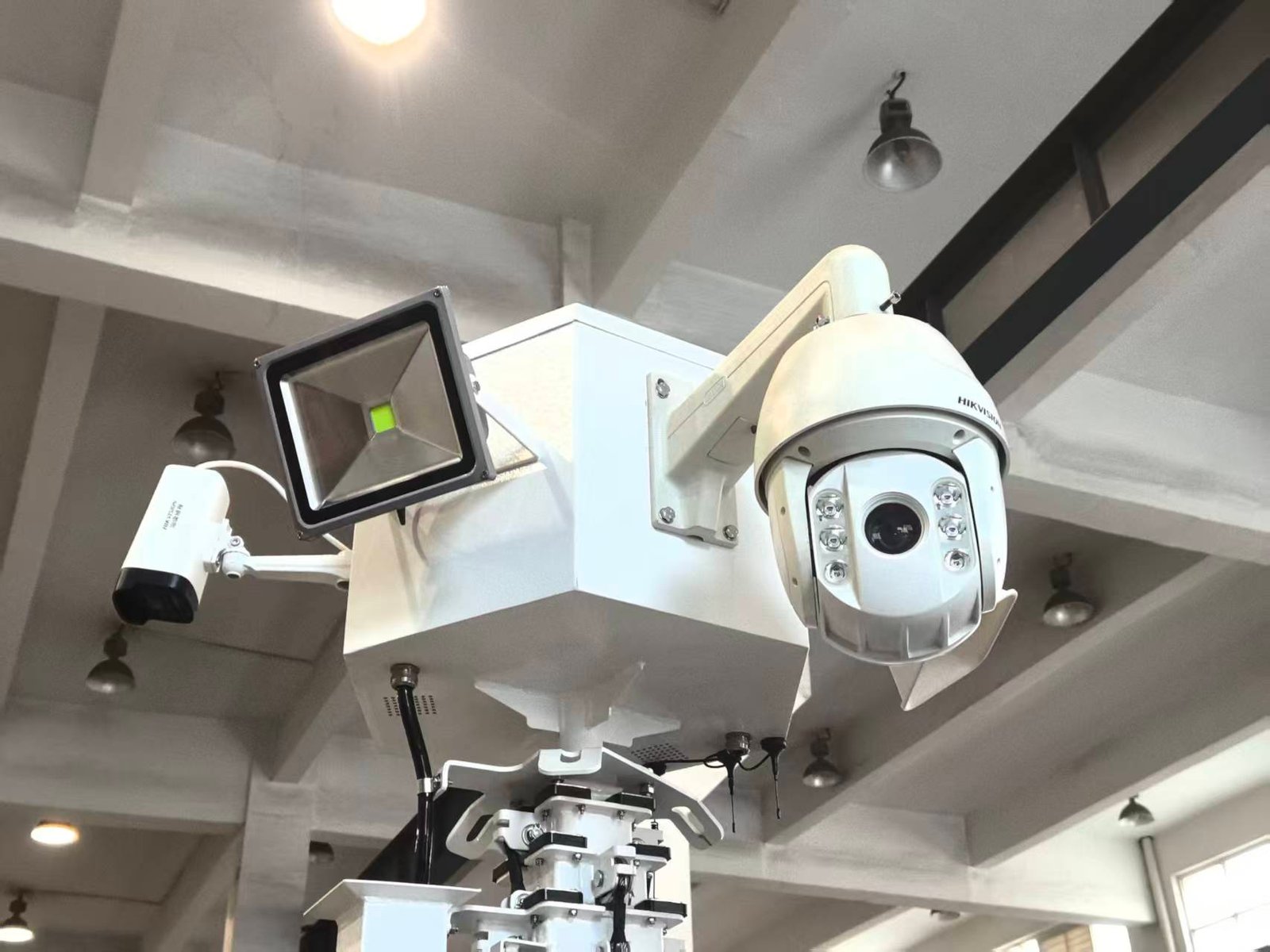
Test the live camera view, recording or monitoring connection, and any pan, tilt or zoom functions provided by the configuration. Verify that the required users can connect to the system and that the selected view has not been blocked by new structures or site activity.
If warning lights, speakers or floodlights are installed, test them in a controlled way that does not distract drivers or disturb neighbouring properties.
Recheck the Tower During Long Deployments
A tower that remains at one location still needs periodic attention. Ground conditions can change after rain, vehicle movement or excavation. Confirm that stabilizer feet remain supported and the trailer stays level.
During routine site visits, check for:
- new panel shading or accumulated dirt;
- abnormal battery or charger indications;
- loose doors, fasteners, cables or connectors;
- water entry, condensation or corrosion;
- changes in camera view or network connection;
- unusual vibration, sound or mast movement;
- evidence of impact, tampering or unauthorised access.
Weather conditions should also be monitored. Lower or secure the system when required by the manufacturer’s wind and storm instructions.
Prepare the Equipment for Storage
Before storage, switch off loads in the correct sequence, lower and secure the mast, fold or lock the solar array as designed, and clean the unit. Store the trailer on firm ground in a suitable location where it will not be exposed to unnecessary impact or standing water.
Follow the battery supplier’s storage and charging instructions. Long periods without inspection can allow batteries to discharge, tyres to lose pressure, corrosion to develop or pests to damage wiring. A scheduled storage inspection is therefore better than leaving the unit untouched until the next project.
Keep a Simple Maintenance Record
Note the inspection date, tower location, operating hours if available, battery indication, cleaning completed, faults found, parts replaced and the name of the person performing the check. Add photographs when documenting damage or the condition of a unit before and after rental.
Consistent records make recurring problems easier to identify and help teams plan service work before the next deployment.
Select a Configuration That Is Easy to Support
Maintenance requirements should be considered during purchasing—not only after delivery. Buyers should ask how the mast is operated, how major components are accessed, which battery system is used, what monitoring equipment is installed and what routine inspections are recommended.
Explore the S973 solar mobile surveillance trailer and LUMTA’s solar mobile light tower range. For specifications, configuration advice and pricing, contact LUMTA through the inquiry page.